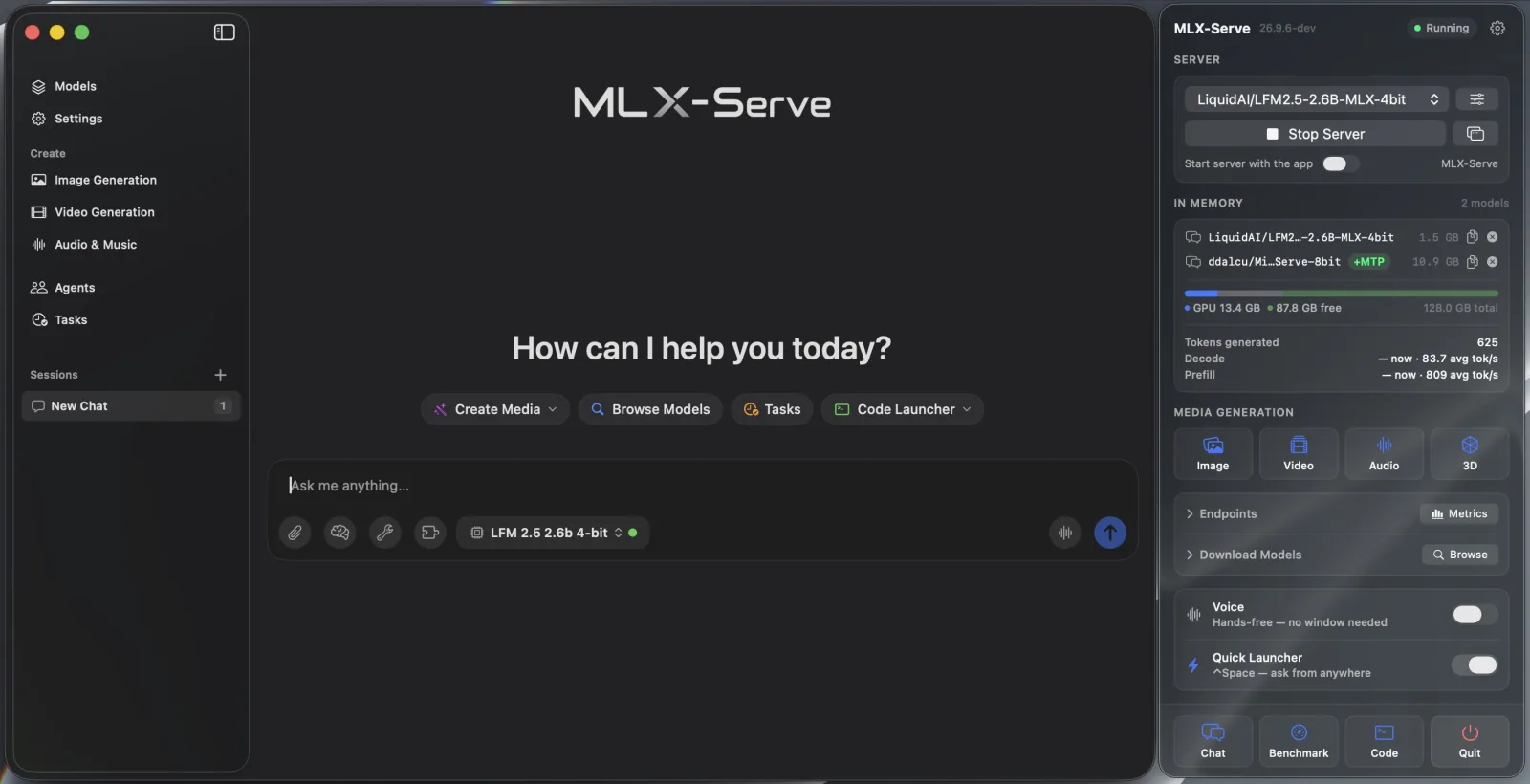
Your coding agent, on your own GPU
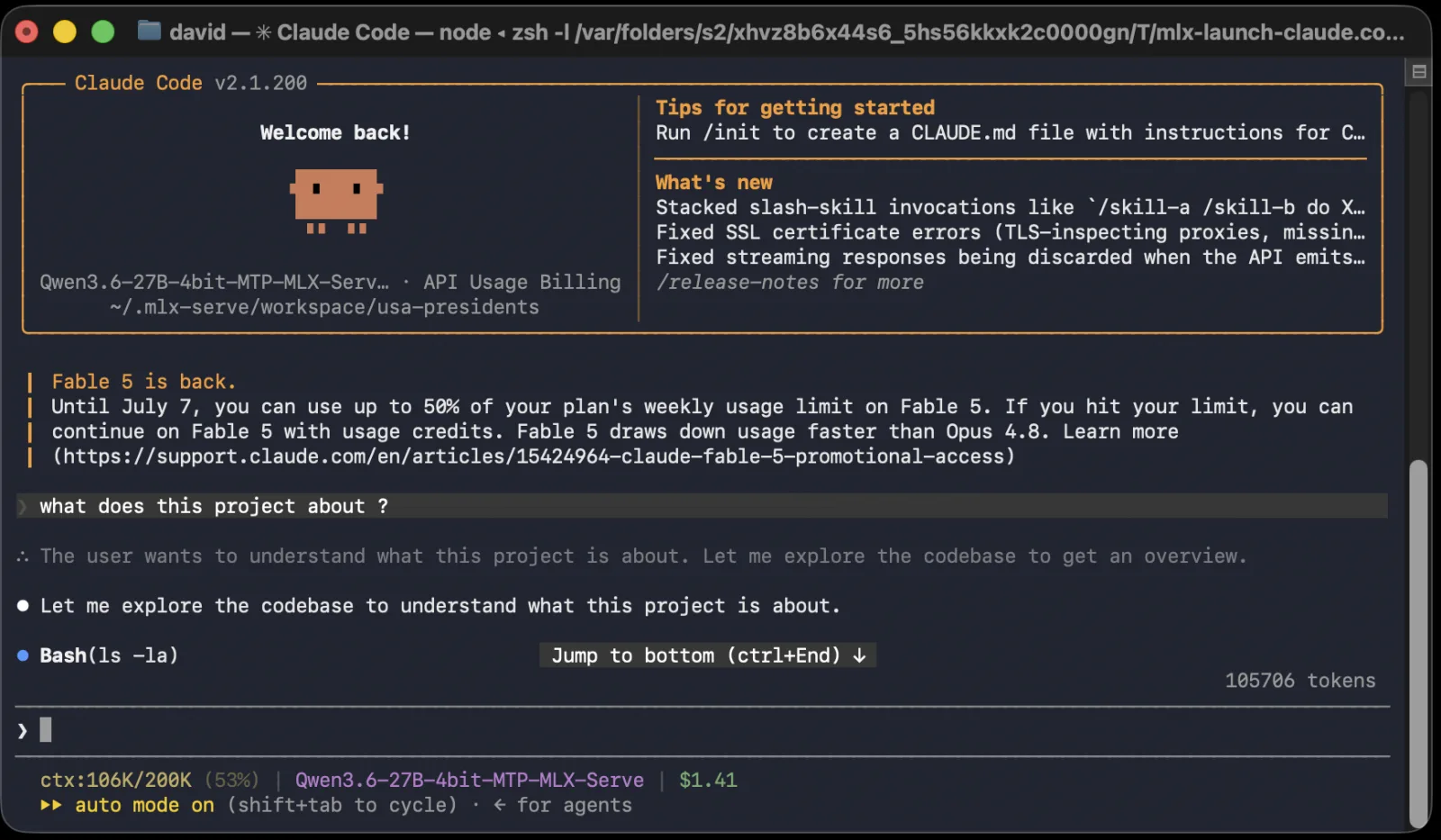
mlx-serve launch claude starts Claude Code against your Mac, set up with the model's real context window. Codex, OpenCode, pi, Grok and Zed work the same way.
Tool calls arrive whole, long sessions stay warm in the prompt cache, and nothing leaves the machine. One line sets up pi, Claude Code, OpenCode or Grok against your server:
curl -fsSL https://mlxserve.com/agent.sh | sh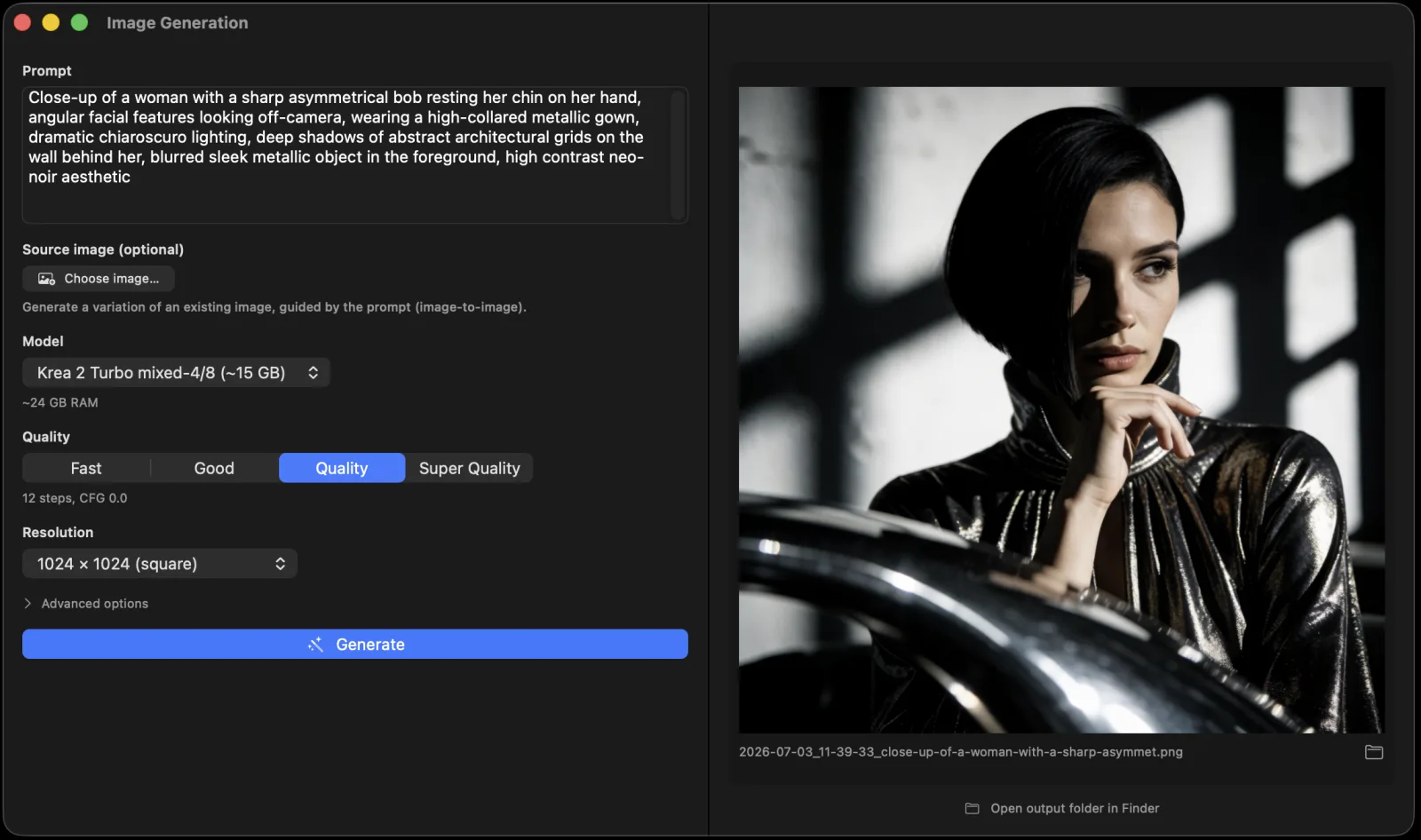
Pictures, video, music and 3D
FLUX.2, Qwen-Image, MiniMax-H3-Image, Krea and Ming-Image for pictures and edits. LTX-Video and MiniMax-H3 for clips with sound. ACE-Step and YuE2 for songs. Hunyuan3D, TRELLIS.2 and Idol for 3D.
They share one server with your chat model, and chat never waits for the art: agents keep answering while the same Mac paints, sings, films or sculpts beside them.
Take the media tour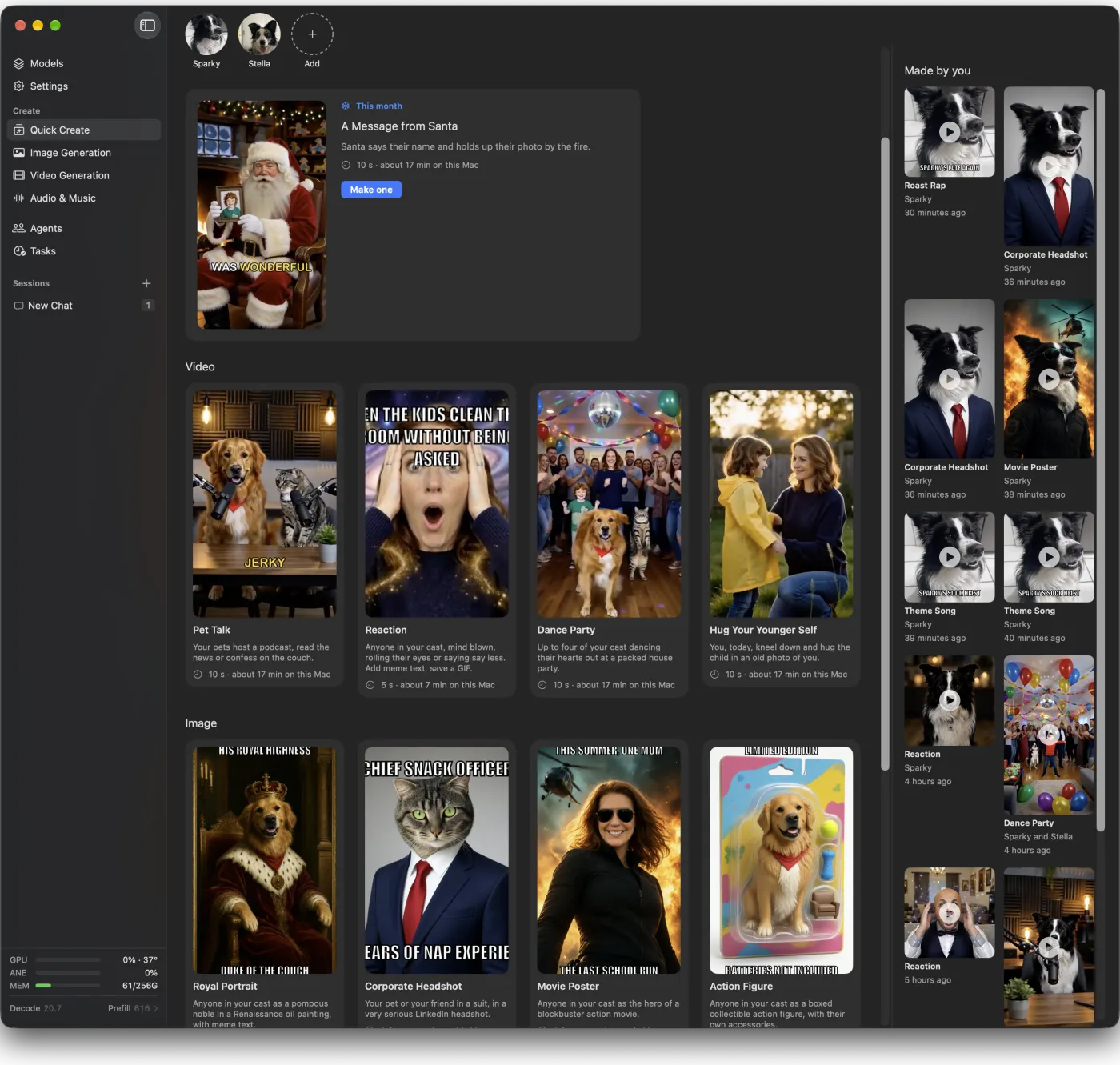
Add your people and pets once. Pick a template.
Talking pets, a message from Santa, a dance party, a hug with your younger self: videos with sound and captions. Royal portraits, movie posters and action figures with the words right. Birthday songs and power ballads, written and sung.
Every template shows a preview, and everything is made on your Mac, ready to share.
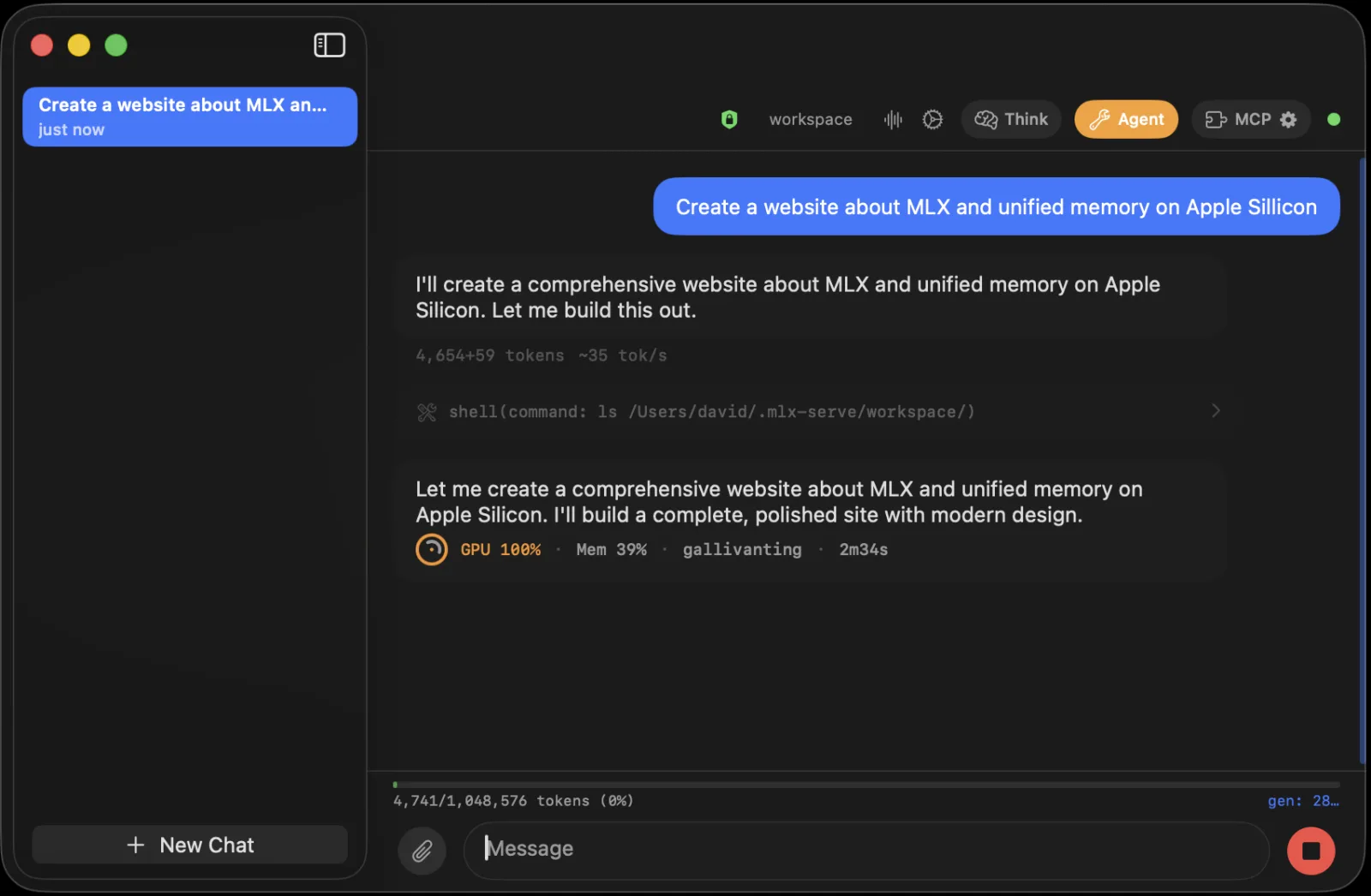
An assistant with hands, in a sandbox
Give agents a shell inside a lightweight VM instead of your Mac, plus MCP tools and your own documents. Schedule chores in plain English and they run while you sleep.
See what agents can doEverything local AI, in one app
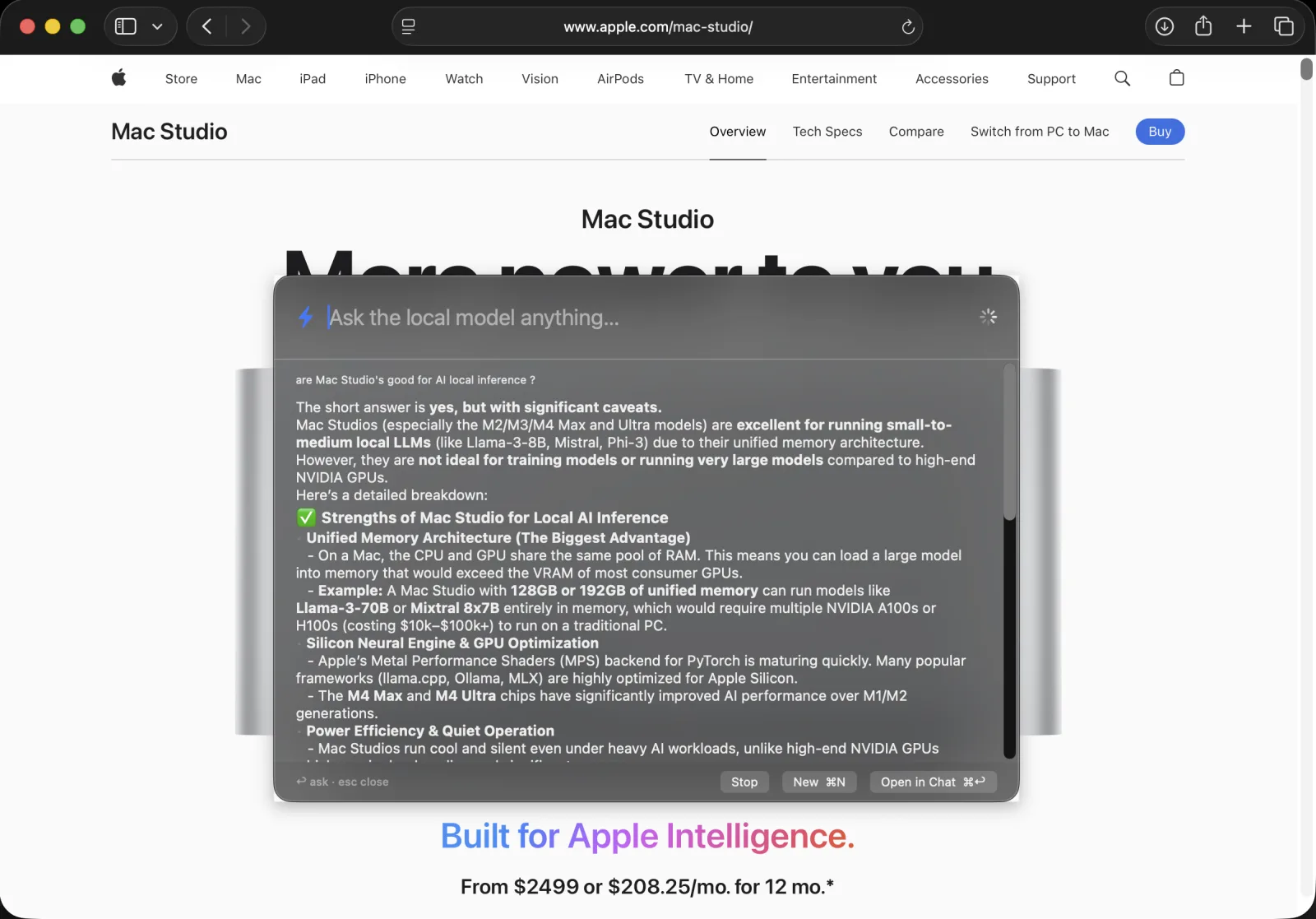
Ask from any app
The Quick Launcher floats over whatever you're doing: summarize a page, rewrite a paragraph, ask about your screen.
Models bigger than your Mac
GLM-5.3-Flash and DeepSeek-V4.1-Flash on a 128 GB Mac, their experts read from the SSD. Two Macs on a Thunderbolt 5 cable run one model together.
$ mlx-serve serve --lan-share all
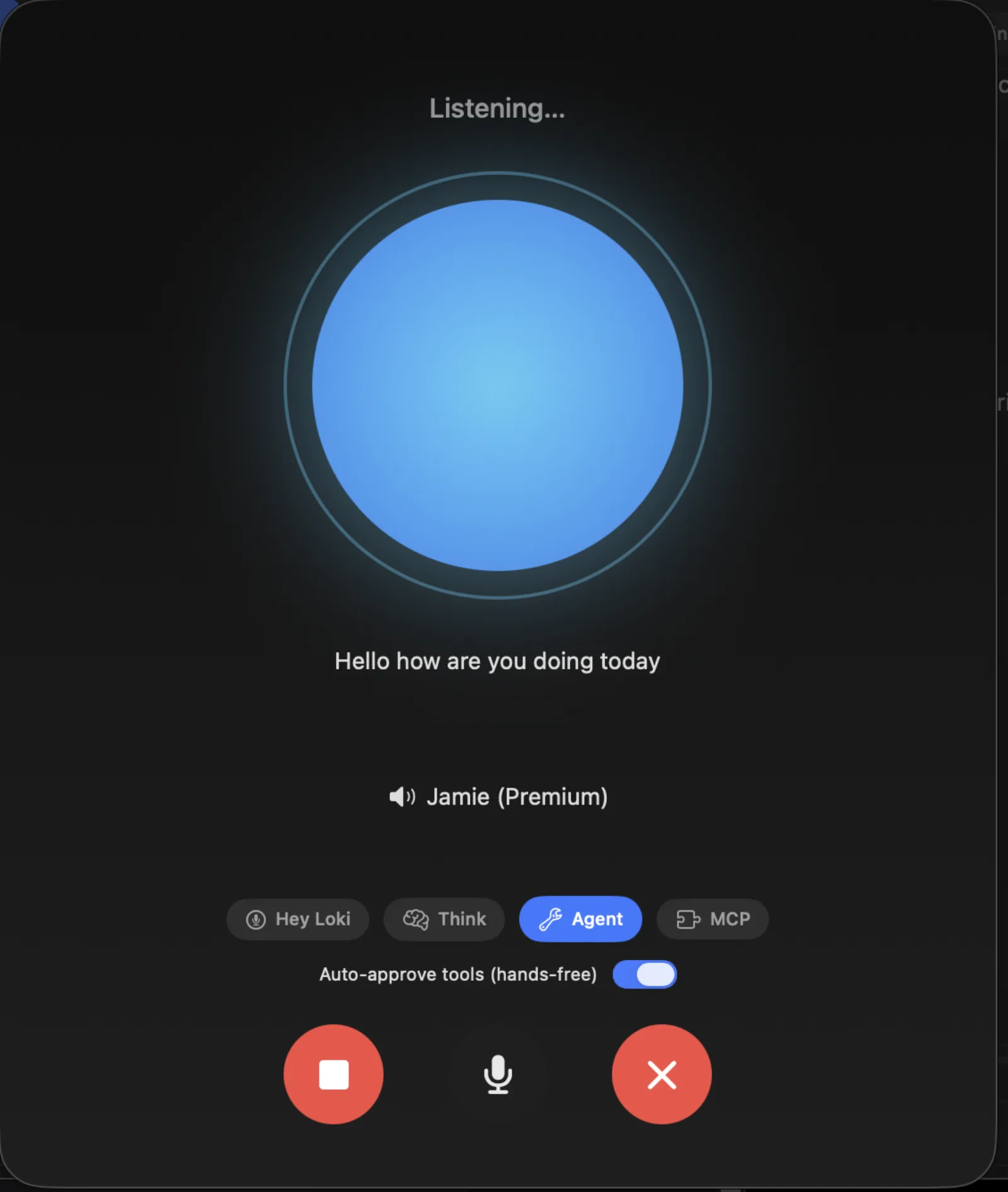
Talk to it, hands-free
Voice mode listens and answers out loud. Clone a voice from a few seconds of audio.
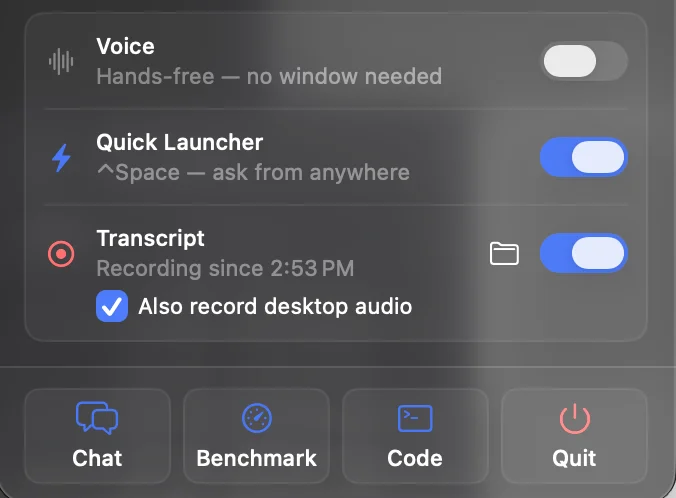
Meeting notes from the menu bar
Switch on Transcript and it records the call. Switch it off for every speaker named, then a summary, the decisions and the action items.
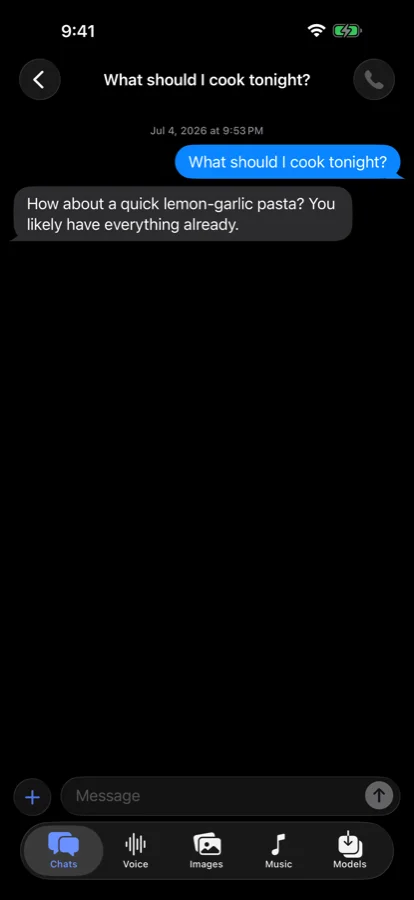
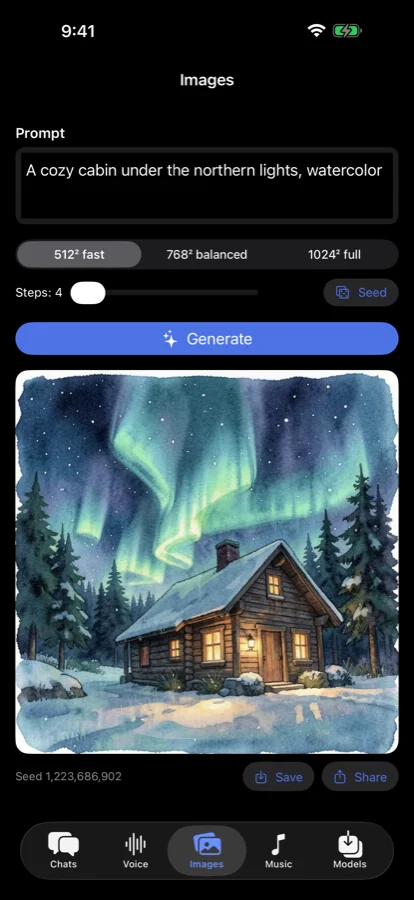
The same engine on iPhone
Chat with Gemma 4, make pictures and music, all on the phone and offline.
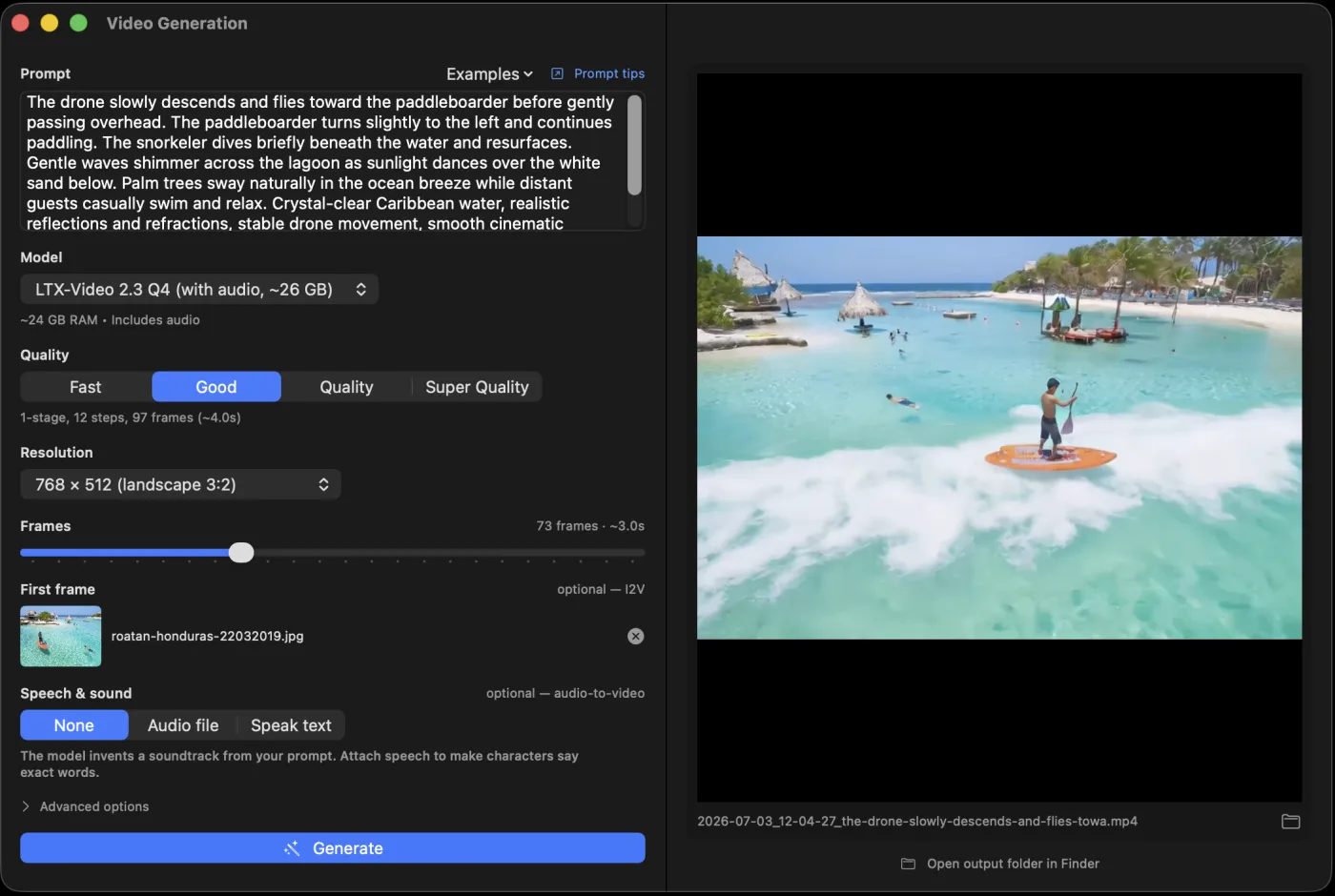
Video from a photo, with sound
Give LTX-Video a picture and a sentence; it writes the soundtrack too.
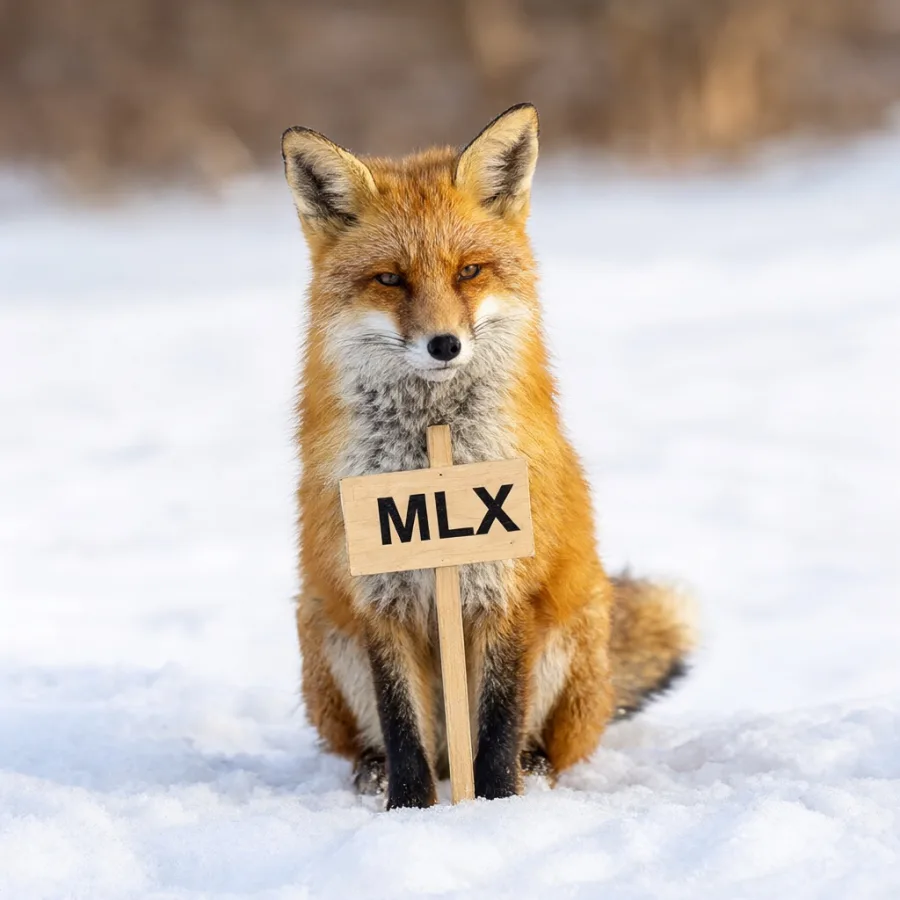
Pictures that spell
Signs, posters and infographics with the words right.
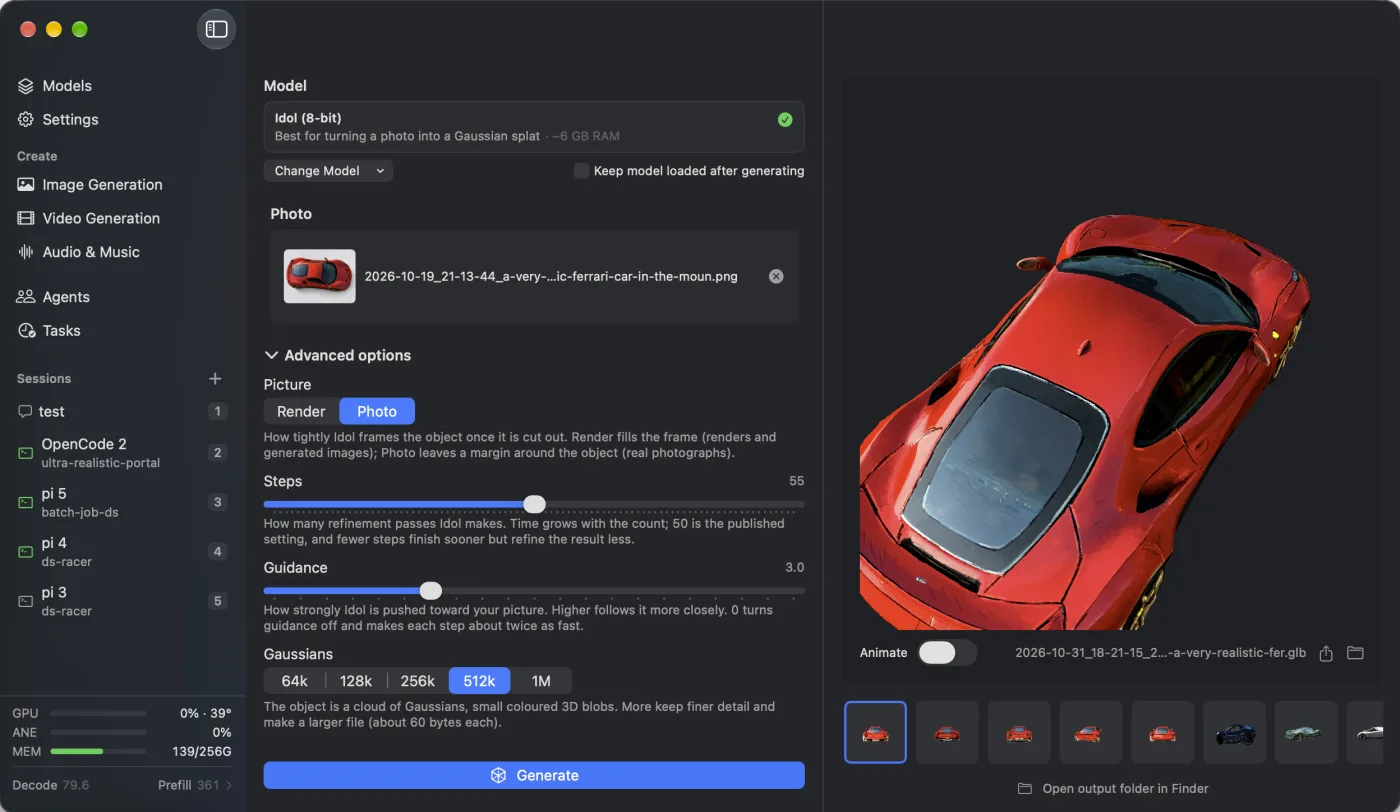
One photo to a 3D model
Idol cuts out the background and builds a model you can open in Preview or any 3D viewer.
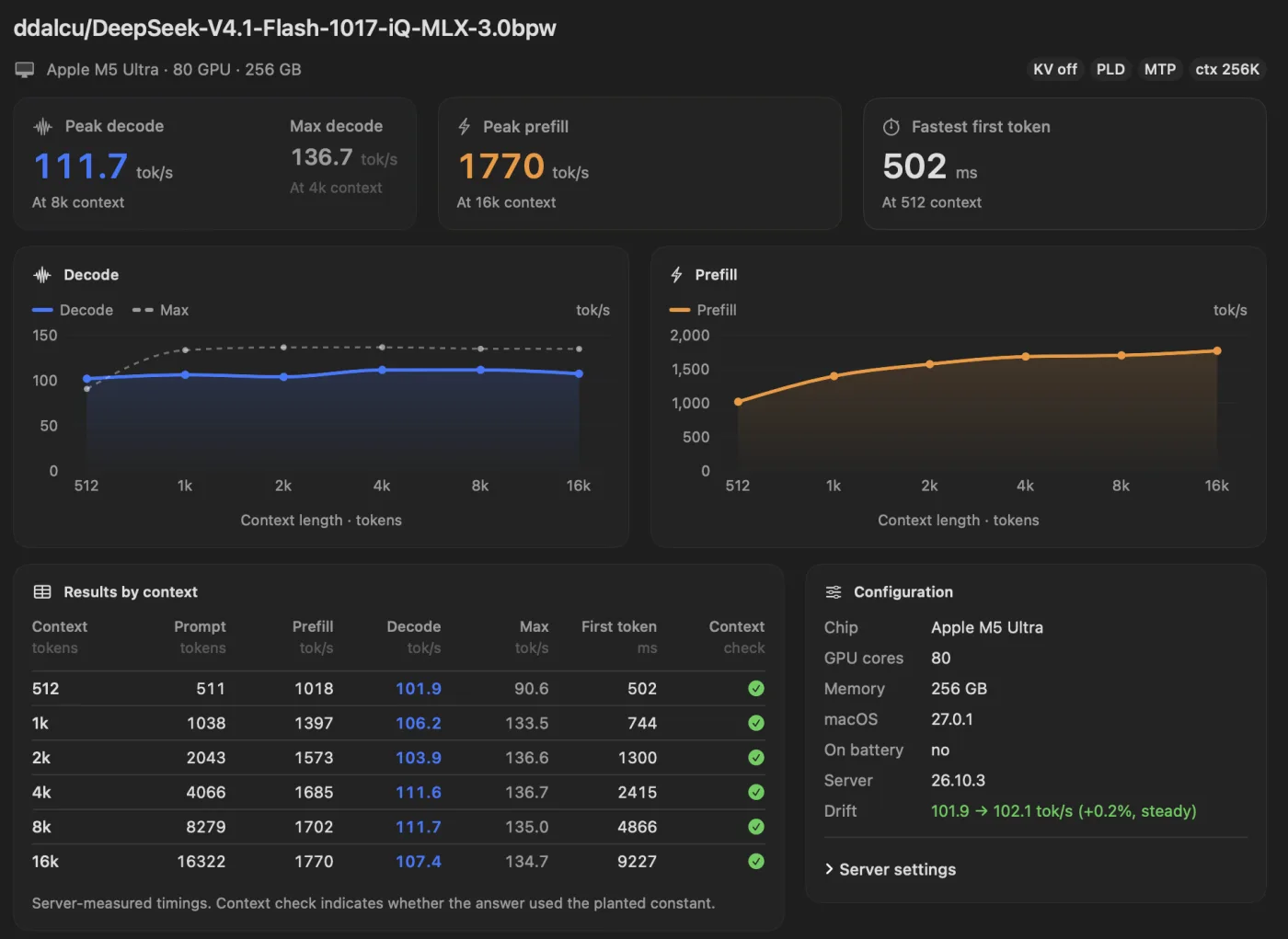
Measure your own Mac
One click runs a model across context sizes and charts decode, prompt reading and time to first token, with the settings that produced them.
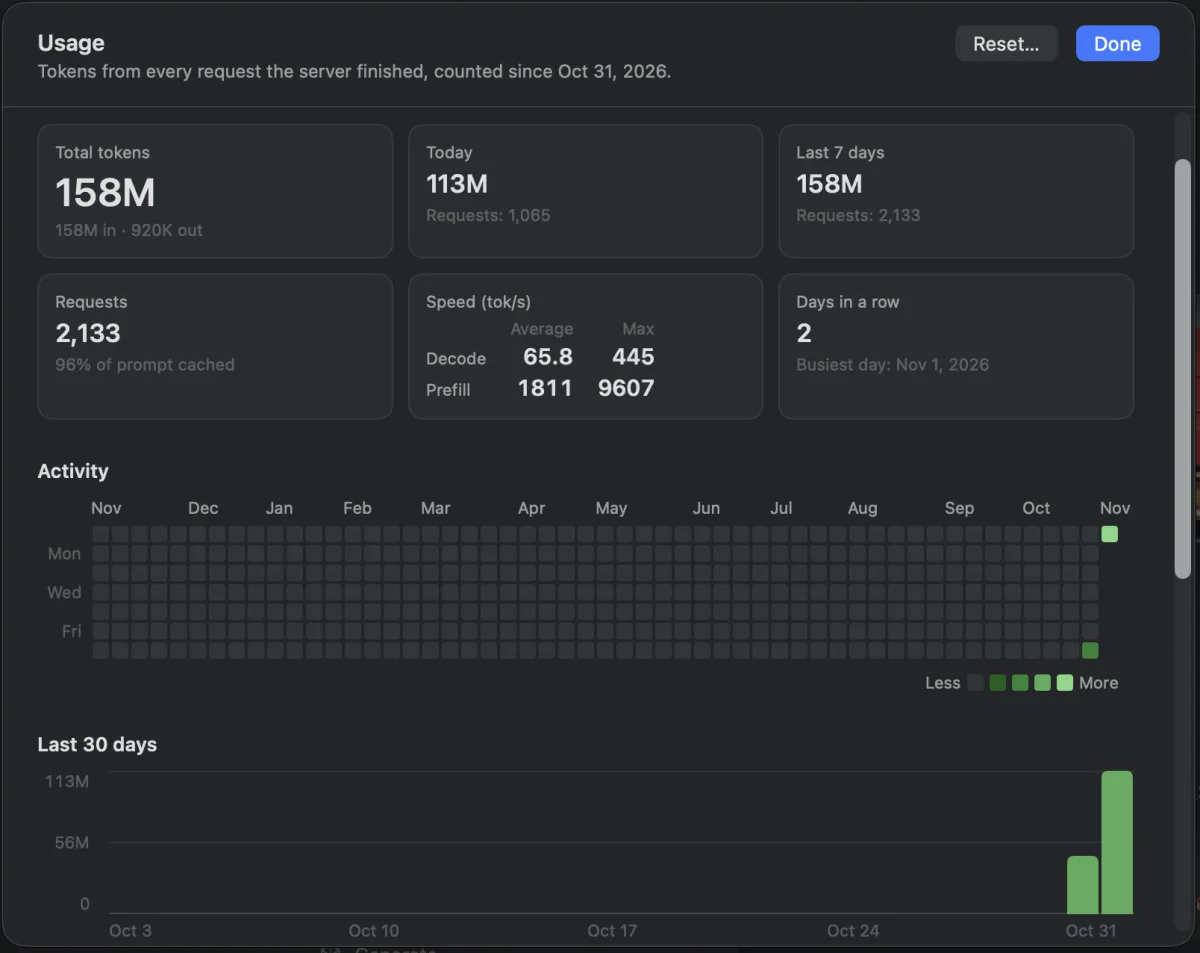
See what your Mac did today
Tokens, requests and speeds per day and per model, kept across restarts. The corner of the chat window shows it live.
Fast, and measured every release
A native Zig engine on MLX, with our own Metal kernels and a draft-ahead mode for every model that has one. Same harness, same prompt, every release.
Decode tokens per second in v26.11.4 (M4 Max: last measured release), llmprobe median of 3 on a code prompt, speculative decoding on. Every release's numbers →
Draft ahead, verify in one pass
Multi-token prediction heads, DFlash drafters and prompt lookup, each with gates that switch off when they stop paying.
Built for M5's matrix units
Prefill, attention and quantized KV run on the neural accelerators, with portable kernels for M1 to M4.
Long chats stay warm
The prompt cache spills to the SSD, so a follow-up resumes where the last turn ended instead of re-reading the conversation.
Many users at once
Concurrent requests batch on the GPU, and a long prompt yields to people already reading answers.
What can my Mac run?
Pick your memory. The app suggests the same model on first launch, and it updates as better ones ship.
Thousands more run too: any MLX model on a supported architecture, and any GGUF. See the tier list →
The APIs your tools already speak
- OpenAI chat, completions and Responses, with WebSocket transport
- Anthropic Messages, for Claude Code and the Anthropic SDKs
- Ollama's API on the same port: swap 11434 for 11234
- Streaming, tool calls, JSON schemas, vision, reasoning effort
- Images, video, speech, transcription and embeddings over HTTP
# any OpenAI client, no key needed on this Mac
curl localhost:11234/v1/chat/completions \
  -H "Content-Type: application/json" \
  -d '{
    "model": "gemma-4-26b-a4b-it-4bit",
    "messages": [{"role": "user", "content": "Hi!"}],
    "stream": true
  }'
from anthropic import Anthropic

client = Anthropic(base_url="http://localhost:11234", api_key="local")
msg = client.messages.create(
    model="Qwen3.8-27B-MLX-Serve-4bit",
    max_tokens=1024,
    messages=[{"role": "user", "content": "Plan a refactor"}],
)
# starts Claude Code wired to your local model,
# with its real context window
mlx-serve launch claude

# also: codex, opencode, pi, grok …
mlx-serve launch codex
# Ollama apps work unchanged: just change the port
export OLLAMA_HOST=http://localhost:11234

mlx-serve run gemma4        # download, serve and chat
mlx-serve pull gemma4:26b    # download only, resumable
mlx-serve serve             # serve everything you have
curl localhost:11234/v1/images/generations \
  -H "Content-Type: application/json" \
  -d '{
    "model": "flux2-klein-4b-q4",
    "prompt": "a glass sloth on a neon street, rain",
    "size": "1024x1024"
  }'
Up and running in a minute
No Python, no account, no setup screens. The app picks a model that fits and updates itself.
- Download the app, or use Homebrew.
brew install --cask mlx-servefor the app,brew install mlx-servefor the server alone. - Pick a model that fits your Mac.Or from the terminal:
mlx-serve run gemma4downloads, serves and chats. - Point any tool at localhost:11234.OpenAI, Anthropic and Ollama clients, or open it in a browser for the built-in console.
Shipping every week or two
Inkling 2 Mini, several chats at once
Thinking Machines' looped 26B, with its draft head checking every chat's drafts together.
Quick Create, H3 Image and Ming speech
Pick a template and your Mac makes the video, picture or song.
DeepSeek across two Macs, GGUF at MLX speed
Thunderbolt tensor parallel, and GGUF files on our MLX engine.
Outside plugins and a full rewrite
Add a model, media backend or quant format without rebuilding the server.
Running it at work? We've got you.
Support contracts, long-term releases and custom model work for teams that run private AI on Apple Silicon. The engine stays MIT, with nothing paywalled.
See plans and services →- Priority supportA private channel and guaranteed response times
- Long-term releasesA stable line with fixes backported for a year
- Model ports and packsYour model, served fast, with calibrated quants
- Fleet deploymentsMac Studios, Thunderbolt clusters, managed config
Questions, answered
Is it really free?
Yes. MLX-Serve is MIT licensed and nothing is paywalled. Companies that want guaranteed support or custom work can buy it on the Pro page, which funds the open-source work.
Where does my data go?
Nowhere. Models run on your Mac, with no telemetry and no cloud calls. The server binds to your machine by default and can require an API key when you share it on a network.
Can it replace Ollama or LM Studio?
On a Mac, yes. It speaks the Ollama API on port 11234, so Raycast, Obsidian, Open WebUI and the Ollama libraries work unchanged, and mlx-serve run gemma4 feels the same. It runs MLX models natively and any GGUF through an embedded llama.cpp.
Does it work with Claude Code?
Yes, natively. It implements Anthropic's Messages API with streaming, tool calls and thinking. Run mlx-serve launch claude, or set ANTHROPIC_BASE_URL=http://localhost:11234.
Which Macs are supported?
Any Apple Silicon Mac (M1 to M5) on macOS 26.2 or later. M5 Macs get extra speed from the GPU's matrix units. There's also an iPhone app. Off the Mac, every release has Linux downloads for NVIDIA GPUs (RTX 20 to 50, DGX Spark), and one script builds it on Windows with an NVIDIA card.
Can I run models bigger than my memory?
Some, yes: GLM-5.3-Flash and DeepSeek-V4.1-Flash stream their experts from the SSD on a 128 GB Mac, and two Macs on Thunderbolt 5 can share one model.